iPhone・iPad のジャンプ記録帳

足首の動きから、
跳んだ高さが出る。

跳んだ動画を選ぶだけ。足首の動きから離地と着地を見つけ、空中にいた時間から跳んだ高さを計算して、記録帳にためます。見つけた場所は、コマ単位で自分で直せます。動画は端末の外に送りません。

App Store で配信予定

買い切りで全部の機能が使えます。月額・アプリ内課金・広告・アカウントはありません。
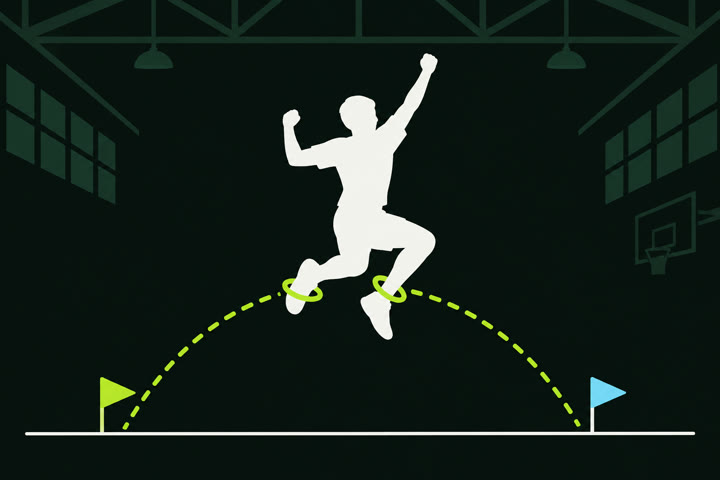
跳んでいる人のシルエットと、足首の軌跡を示すライムの放物線、離地と着地の印

こんな困りごとのために

動画を選ぶと落ちる

写真アプリの動画を、元のまま取りこみます。選んだ動画を切り取ったり、作り直したりしません。長い動画やスローの動画でも、進みを出しながら調べ、途中でやめられます。

離地と着地を探すのが大変

足首の動きから、離地と着地の候補を自動で出します。見つからなかったときも、コマを送って自分で選べます。

どれくらい正しいのか知りたい

結果には、いつも「±何 cm」を並べます。1コマが短い(スローで撮る)ほど、この幅は小さくなります。

小さい画面で表示が重なる

iPhone の小さな画面でも、iPad でも、折りたたみの Duo でも、数字と操作が重ならないように並べています。

記録を見返したい

自己ベスト、日ごとの最高の推移、1回ごとの記録(足首の動きのグラフ付き)が記録帳にたまります。

動画を預けたくない

解析はすべて端末の中。アカウントも、動画のアップロードもありません。

できること

測る写真アプリの動画を選ぶ → 足首の動きから離地と着地の候補 → コマ単位で直す → 高さと滞空時間を記録
高さの出し方h = g × t² ÷ 8(t は離地から着地までの秒)。精度の幅(1コマぶんの ±)を結果に表示
記録帳自己ベスト・日ごとの推移・1回ごとの詳細・メモ・単位(cm/インチ)
データ端末の中に保存・アカウントなし・通信なし・動画はアプリの中に残さない

スロー(120・240 fps)で横から全身を撮ると、いちばん正確に測れます。足首が見えない動画や、服・背景で足首が見つけにくい動画では、候補が出ないことがあります。そのときは、コマを見ながら手で選べます。

使い方・プライバシーポリシー・利用規約もご覧ください。

A jump log for iPhone and iPad

Your ankles tell
how high you jumped.

Pick a video of your jump. The app finds takeoff and landing from your ankle movement, works out the height from your time in the air, and saves it in your log. You can adjust what it found frame by frame. Your videos never leave your device.

Coming to the App Store

One purchase unlocks everything. No subscription, in-app purchases, ads or account.

A jumping silhouette with a lime parabola showing the ankle path and takeoff and landing markers

Built for these problems

Crashes when picking a video

It imports the video from Photos as it is. It never trims or re-encodes what you pick. Long and slow-motion videos show progress and can be cancelled.

Finding takeoff and landing is tedious

The app suggests takeoff and landing from ankle movement. If it can't find them, step through the frames and choose them yourself.

How accurate is it?

Every result shows a ± margin in centimeters. The shorter each frame is (shoot in slo-mo), the smaller the margin.

Overlapping text on small screens

Numbers and controls are laid out so they don't overlap on small iPhones, on iPad, and on foldable iPhone Duo.

Looking back at progress

Your log keeps your personal best, a daily-best trend, and every jump with its ankle-movement graph.

Not handing over videos

All analysis happens on your device. No account, no video uploads.

What it does

MeasurePick a video from Photos → takeoff and landing suggested from ankle movement → adjust frame by frame → save height and flight time
Heighth = g × t² ÷ 8 (t is seconds from takeoff to landing). The margin of one frame (±) is shown with each result
LogPersonal best, daily trend, details for each jump, notes, units (cm or inches)
DataStored on your device · no account · no network · videos are not kept in the app

Shooting in slo-mo (120 or 240 fps) from the side with your whole body in frame gives the most accurate result. Footage where the ankles are hidden, or where clothing or background makes them hard to find, may produce no suggestion. You can then choose the frames by hand.

Help · Privacy Policy · Terms of Use